


Activation and Deactivation of Credit Card Auto Debit Facility
Credit card auto debit is a standing instruction that automatically pays your minimum or total amount due from your linked bank account each billing cycle. SBI, HDFC Bank, and Axis Bank all let you activate or deactivate it via net banking, the mobile app, or a written request. See the exact steps for your card below.
The credit cardholders who enroll for an auto debit service are entitled to receive significant benefits.

Activation of Credit Card Auto Debit Facility Online
- An auto debit facility on credit cards is offered upon a request made by cardholders, but it is not compulsory. Whether or not to use this facility is left at the discretion of credit card users. This option holds good for some people, but not for all.
- Different people have different opinions when it comes to making payments. Some people prefer making payments online while others do not.
- The credit card auto debit can be activated online within a few minutes. For more details, the customer care professionals of respective bankers can be contacted.
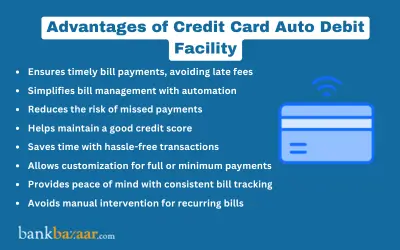

Advantages of Credit Card Auto Debit Feature
- Timely and consistent payments can be assured and time can be saved.
- Customers avoid paying unnecessary late payment fees and charges.
- It is the most convenient option to make payments online.
- The risk of identity theft can be lessened.
- Cardholders can build and maintain a credit history through consistent payments. They can also get reward points and build a good credit score.
- It offers flexibility in terms of payment methods, which are two in number: 1) total amount due (TAD) and 2) minimum amount due (MAD).
Disadvantages of Activating Credit Card Auto Debit Facility
- Customers may lose track of monthly bills since they are automatically paid.
- Sometimes, a few companies may ask customers to pay a fee for offering this facility.
- Stopping automatic payments may be difficult.
- Customers should have an adequate account balance. If not, they have to pay bank overdraft fees.

Deactivation of Credit Card Auto Debit Facility Online
The deactivation of credit card auto debit can be done online by following the guidelines provided by your bankers. Experts suggest not to deactivate an auto debit facility unless you really require it.
The deactivation of credit card auto debit can be initiated whenever you want. The following are a few circumstances that necessitate you to deactivate the auto debit facility on your credit cards:
- When you change a job, you may or may not continue banking with the previous bank account and credit card account,
- When you want to close the existing credit card account and obtain new offers,
- When you change the job location and,
- When the bank balance is insufficient to make payments.
Advantages of Deactivating Credit Card Auto Debit Feature
Monthly payments can be tracked easily by customers who prefer making payments in cash. The deactivation of credit card auto debit has been a good option from the stance of the people, who cannot maintain consistent cash inflows. It is appropriate for multiple credit cardholders as well.
Disadvantages of Deactivating Credit Card Auto Debit Facility
- Credibility and credit scores may be affected negatively.
- Other payment options consume time.
- The people who have not enrolled for this facility may face the risk of identity theft.
- Sometimes, you may default on payments. Late payments attract late payment fees and charges, which in turn overburden your financial obligations.
How to Activate SBI Credit Card Auto Debit Facility
SBI customers are required to download the auto debit activation form from the website of the bank, which is www.sbicard.com, and then the form should be filled in and cross-validated by your concerned banker. The physical copy should be sent to the below cited address:
SBI Cards and Payment Services Private Limited
P.O. Bag No.28, GPO, New Delhi - 110001
Details to be furnished in an auto debit form for SBI credit cardholders
- You have to furnish your SBI account number and SBI credit card number.
- You have to specify any one of the two payment options: 1) minimum amount due (MAD) and 2) total amount due (TAD).
- Personal details such as name, address, Email id and contact number should be furnished.
- You have to specify the name and address of your bank branch along with the code of the branch.
How to Deactivate SBI Credit Card Auto Debit Feature
You have to download the auto debit deactivation letter from the official website of the bank, which is www.sbicard.com, and then you have to fill it. The letter should be sent to the below mentioned address:
SBI Cards and Payment Services Private Limited
P.O. Bag No.28, GPO, New Delhi - 110001
This is how you can stop the facility of credit card auto debit offline.
SBI Card also lets you deactivate auto debit online: log in to the SBI Card website or mobile app, go to the Account section, select the Auto Debit tab, and choose Cancellation. Once you click Proceed, the request is processed in real time and confirmed instantly by SMS to your registered mobile number.
How to Activate HDFC Credit Card Auto Debit Facility
For new bills:
- Login to HDFC credit card internet banking using your credentials.
- Once you are logged in, please find the 'Billpay and Recharge' button.
- Click the 'Billpay and Recharge' button. Upon clicking the button, you will find the 'Set Up SmartPay' button.
- Click the 'Set Up SmartPay' button, you will find the 'Enter new bill details' button.
- You have to choose the credit card option and standing instruction.
For registered bills:
- Login to HDFC internet banking using your credentials.
- Once you are logged in, please find the 'Billpay and Recharge' button.
- Click the 'Billpay and Recharge' button. Upon clicking the button, you will find the 'Standing Instruction' button.
- Click on Modify, Delete and Set in order to choose the bill for which you are willing to set standing instruction for.
- Click on Set and then furnish your credit card details, including the credit card number and the expiry date.
HDFC Bank's auto debit typically gets activated within seven days of setup, so pay your current bill through your usual payment method if the due date falls within this window. If a payment is returned for insufficient balance or a partial payment, HDFC Bank levies an autopay return charge of 2% of the net payable amount, subject to a minimum of Rs.450. Delinking an active auto debit from your bank account takes about two working days to process.
How to Deactivate HDFC Credit Card Auto Debit Facility
- Log on to your HDFC internet banking.
- Find the 'Bill Pay and Recharge' button and click.
- Click the 'Continue' button.
- Click the 'Standing Instruction' button.
- Click the 'View/Stop Scheduled Bills' button.
- Find the name of the biller and click the 'Stop' button.
- Find the 'My Billers' button and click.
- Click the 'View/Delete Billers' button.
- Now, the screen will display the list of active billers. Click the blue 'Trash' icon to remove the biller.
How to Activate Axis Bank Credit Card Auto Debit Facility
- Log in to Axis Bank internet banking and go to Accounts > My Credit Cards.
- Select your credit card, open the More Services dropdown, and choose Auto Debit Setup.
- Click Activate and select whether the Minimum Amount Due or Total Amount Due should be debited.
- Enter the NetSecure code sent to your registered mobile number to confirm.
You can also activate, modify, or deactivate Auto Debit through the Axis Mobile App (Credit Cards > Total Controls > Auto Debit Payment) or by visiting your nearest Axis Bank branch.
How to Deactivate Axis Bank Credit Card Auto Debit Facility
Axis Bank customers can stop the credit card auto debit service online. No funds shall be transferred to your billers once you deregister the Axis credit card auto debit facility.
Summary
Credit card auto debit lets your bank automatically pay your minimum or total amount due each month, helping you avoid late fees and missed payments. You can activate, modify, or deactivate it anytime through your bank's net banking, mobile app, or a branch visit, or in writing if you prefer. Check the exact steps for your card issuer above before you enrol or opt out.
FAQs on Credit Card Auto Debit Facility
1.What is credit card auto debit?
Credit card auto debit is a standing instruction that authorises your bank to automatically pay your credit card bill from your linked bank account on the due date. You can choose to have either the minimum amount due or the total amount due debited each billing cycle. This credit card auto debit facility is optional and can be activated or cancelled whenever you choose.
2.Is credit card auto debit compulsory?
No, credit card auto debit is not compulsory and is offered only if you request it from your bank. Whether to activate the facility on your credit card is entirely at your discretion. You can continue paying your bill manually if you prefer.
3.What are the benefits of activating credit card auto debit?
Activating credit card auto debit helps you make timely payments, avoid late payment charges, and build a consistent repayment history. It also reduces the effort of manually paying your credit card bill every month. Many cardholders find it more convenient than tracking due dates themselves.
4.What are the drawbacks of credit card auto debit?
The main drawback of credit card auto debit is that you may lose track of your monthly spending since payments happen automatically. You also need to maintain sufficient balance in your linked accou
5.Why would I deactivate credit card auto debit?
You may want to deactivate credit card auto debit if you change your bank account, switch jobs, close your credit card account, or prefer to track and pay your bills manually. Some cardholders also deactivate it if their bank balance is often insufficient on the due date. The facility can generally be turned off whenever you choose.
6.How do I activate credit card auto debit?
The process to activate credit card auto debit depends on your bank, but it is usually done through net banking, the bank's mobile app, or by submitting a physical form. You will typically need to choose between the minimum amount due and the total amount due as the debit option. Check the steps for your specific bank above for the exact navigation.
7.How do I deactivate credit card auto debit?
Credit card auto debit can usually be deactivated online through net banking or the mobile app, or by submitting a written request to your bank. Some banks also allow deactivation at a branch. The exact steps differ by bank, so refer to your issuer's process listed above.
8.What is the difference between minimum amount due and total amount due in auto debit?
When you activate credit card auto debit, you choose whether the minimum amount due or the total amount due is deducted from your bank account. Paying only the minimum amount due clears your immediate obligation, but interest continues to accrue on the remaining balance. Paying the total amount due settles your bill in full and avoids interest charges.
9.Can I set up credit card auto debit for more than one credit card?
Yes, you can set up credit card auto debit separately for each credit card you hold, as long as you complete the activation process for that card with its issuing bank. Each card's auto debit instruction is linked to the bank account you choose during setup. You can activate or deactivate each card's instruction independently.
10.Does credit card auto debit affect my credit score?
Credit card auto debit can help protect your credit score by ensuring your bill is paid on time, provided your linked bank account has sufficient balance. If a payment fails due to insufficient funds, it can affect your repayment record instead. Maintaining adequate balance in your account is important if you use this facility.

Annie Jangam is a financial writer with a unique background in biotechnology and eight years of genomics research experience, culminating in 6 international publications. She combines her analytical and communication skills to simplify complex financial concepts, delivering precise and creatively engaging content in the fintech industry. She covers various financial products such as banking, insurance, credit cards, tax, commodities, and more. Outside of the financial realm, she dabbles in poetry. Her extracurricular passions include organizing events like One Billion Rising and Human Rights Day. She is committed to the equality of all people, a principle rooted in her Christian faith. Annie strives to embody the values of faith, hope, and love in both her work and her life.

Disclaimer
Credit Card:
Credit Score:
Personal Loan:
Home Loan:
Fixed Deposit:


Copyright © 2026 BankBazaar.com.